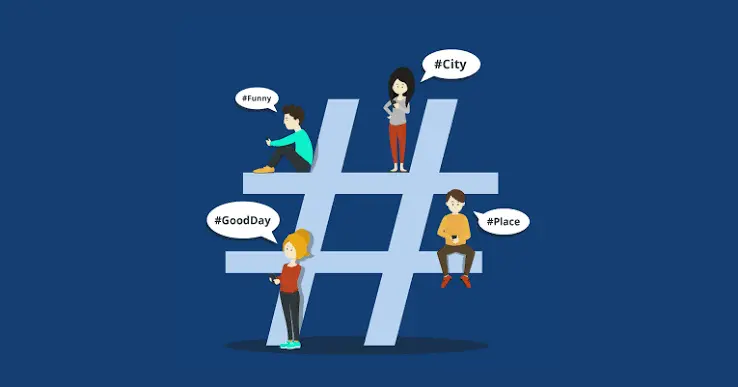

A social media manager drafts a week of posts with an AI assistant, pastes them into a scheduling tool, and publishes. A few days later the analytics show that one campaign hashtag has almost no traffic, even though it appears in every post. Tapping it does nothing.
The hashtag looks perfect. It is spelled correctly, capitalized the way the brand wants, and placed where the layout calls for it. The problem is a character nobody can see, and it can quietly turn a clickable hashtag into plain text.
How Platforms Recognize Hashtags and Mentions
Social platforms detect hashtags, mentions, and links by reading the raw characters of a post. A hashtag begins with a symbol and continues until the platform meets a character that cannot belong to it, such as a space or punctuation mark. If an invisible character sits inside the tag, the platform may treat it as the end of the hashtag, or as part of a different word entirely.
The same logic applies to mentions of other accounts and to the addresses of links. A single stray character can stop a mention from notifying the person it names or a link from being clickable, with no warning on the screen.
Where the Characters Come From
Developers and researchers who have examined AI chat output since 2025 have documented a small set of recurring invisible characters: the zero-width space (U+200B), the narrow no-break space (U+202F), the word joiner (U+2060), and the byte order mark (U+FEFF). Commentary on the pattern generally treats them as side effects of how models learned from richly typeset text, not as a deliberate marker. Whatever the cause, social platforms read them as real characters.
- Posts drafted in a chat window and pasted straight into a scheduler.
- Hashtag lists generated by an assistant and copied into a template.
- Captions written in one tool, edited in a second, and published from a third.
- Brand handles and campaign names pasted from a brief that was itself drafted with an assistant.
Why the Preview Looks Fine
Scheduling tools preview text exactly as it was typed, so the invisible character is present in the preview and simply cannot be seen. The platform only reveals the problem after publication, when the hashtag fails to turn blue or a mention does not notify. By then the post is live and the campaign is already running.
Character Limits and Truncated Posts
Hidden characters also count toward length limits. A caption that appears to sit comfortably under a platform’s cap may be a few characters over once invisible ones are included, which can lead to an unexpected truncation or a refusal to publish. The effect is small per post and confusing across a busy publishing calendar.
Managers who work to tight limits on short-form platforms are most exposed, because even two or three extra characters can push a carefully trimmed line over the edge.
Cleaning the Text Before It Reaches the Scheduler
The most reliable fix is to clean the text before it enters the scheduling tool. A dedicated AI text watermark remover strips invisible Unicode characters and normalizes spacing while leaving every visible word, emoji, and hashtag exactly as written, so what the platform reads matches what the manager sees.
Phrasly’s version covers up to 500 words on its free plan with unlimited quality checking, which is more than a full week of captions for most accounts. Paid plans extend that to 5,000 words per request, and the tool supports English, Spanish, French, and German.
Building It Into the Content Calendar
The step works best when it attaches to something that already happens. Many teams batch their posts once a week. Adding a short cleanup stage to that routine, after drafting and approval and before scheduling, takes a minute and prevents a class of problems that are otherwise discovered one at a time.
- Draft and approve the week’s posts as usual.
- Clean the final text in one batch before loading the scheduler.
- Spot-check two or three hashtags and mentions after publishing.
- Note any failure in the team log so a pattern becomes visible.
Agencies Managing Many Accounts
Agencies multiply the risk because they publish for many brands from a shared workflow. One contaminated template can spread across several client calendars before anyone notices. A single shared cleanup step, owned by a named person and documented in the onboarding guide, protects every account at once.
It also helps with reporting. When a campaign hashtag underperforms, a clean text process lets the team rule out a technical cause quickly and focus on the creative or timing questions that usually matter more.
A Simple Way to Test a Suspect Hashtag
If a hashtag fails to link, retype it by hand in the scheduler and compare the result. If the retyped version works, the original almost certainly contained a hidden character. Teams that see this once tend to adopt the cleanup habit immediately, because the diagnosis is so quick and the fix is so cheap.
Reporting and Diagnosing Underperformance
When a hashtag underperforms, social teams usually look first at creative, timing, and audience. Those are the right first questions, but they are not the only ones. A technical fault that stops a hashtag from linking will depress every metric tied to it, including impressions from hashtag search and the click-through that lets other users follow the tag to related posts.
A simple diagnostic habit helps. Before concluding that a campaign tag is weak, test whether it actually links on the live post, on both mobile and desktop. If it does not, retype it and republish a test, which tells the team within minutes whether the cause is technical.
- Check that each campaign hashtag turns into a link on the live post.
- Confirm that tagged accounts receive their notifications.
- Compare the visible length of a caption with the platform’s reported count.
- Keep a short log of any post that needed correcting after publication.
Working With Influencers and Partners
Brands often send captions, tags, and handles to creators and partners, who paste them into their own posts. If the brief contains a hidden character, every partner post inherits it, and the campaign hashtag may fail to link across dozens of accounts at once. Sending briefs as cleaned plain text avoids multiplying the problem.
It also helps to share the tags in a separate, short list that partners can copy exactly. A clean list is less likely to pick up stray characters than a long document that has been edited many times.
Keeping the Process Lightweight
Social teams move quickly, and heavy process gets dropped. The cleanup step works because it is fast and mechanical. It requires no judgment, no review meeting, and no special skills, and it can be handled by whoever loads the scheduler. That simplicity is the reason it tends to survive busy seasons.
Teams that adopt the habit often find that it quietly improves confidence in their reporting, because a hashtag or mention that fails is now far more likely to reflect a real creative or timing issue than a hidden technical fault.
Social posts depend on exact characters that audiences never see. A short cleanup step before scheduling keeps hashtags clickable, mentions working, and captions the length they appear to be, and it removes one hidden variable from every campaign.
Also Read
- https://grammerway.com/how-do-business-gas-cards-simplify-expense-reporting/
https://grammerway.com/what-to-expect-at-your-first-dental-visit-with-a-new-dentist/
https://grammerway.com/is-it-staff-augmentation-still-worth-it-now-that-ai-writes-code/







Leave a Comment