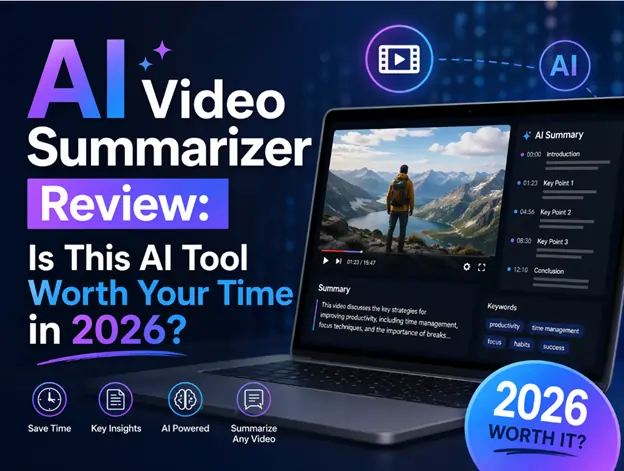

In a world where content is exploding faster than we can consume it, tools like an AI Video Summarizer are no longer a luxury—they’re becoming a necessity. Whether you’re a student trying to digest hour-long lectures, a content creator repurposing material, or a busy professional skimming through webinars, the promise is simple: get the essence of a video without watching the whole thing.
But does a AI Video Summarizer really deliver on that promise? After spending time exploring how these tools work in real scenarios, here’s a grounded, experience-driven review.
What Is an AI Video Summarizer—and Why Now?
At its core, a Video Summarizer is an AI-powered tool designed to analyze video or audio content and convert it into concise, structured summaries. These summaries can range from bullet-point highlights to full transcripts with timestamps.
So why are these tools suddenly everywhere?
The answer is obvious if you look at current content trends. Platforms like YouTube, TikTok, and online learning hubs are generating massive volumes of long-form video content daily. Ironically, while video consumption is at an all-time high, attention spans are shrinking. People want insights—not hours of footage.
From my perspective, the rise of AI summarization tools feels like a natural response to information overload. Instead of replacing video, they act as a filter—helping you decide what’s worth your time.
Core Features That Actually Matter
After testing and comparing several tools in this category, a few standout features consistently define a high-quality Video Summarizer.
1. AI-Powered Transcription with High Accuracy
The foundation of any good summarizer is transcription.
Most modern tools leverage advanced speech recognition models to convert video audio into text. What surprised me is how accurate these systems have become—even with accents, background noise, or fast speech.
A good tool doesn’t just transcribe—it structures the content intelligently, breaking it into readable segments instead of dumping raw text.
Why it matters:
Without accurate transcription, everything else falls apart. It’s the backbone of summaries, highlights, and searchability.
2. Smart Summarization (Not Just Shortened Text)
This is where things get interesting.
Instead of simply trimming content, advanced tools identify:
- Key arguments
- Important timestamps
- Repeated ideas vs. unique insights
Some even generate multiple summary formats:
- Bullet points
- Executive summaries
- Chapter-based breakdowns
I found this especially useful when reviewing long tutorials. Instead of rewatching sections, I could jump straight to the most valuable parts.
Why it matters:
It transforms passive watching into active information extraction.
3. Timestamped Navigation
One feature I didn’t expect to rely on so much is timestamp linking.
Imagine reading a summary, spotting an interesting point, and jumping directly to that exact moment in the video. It feels seamless—almost like skimming a book with clickable chapters.
Why it matters:
It bridges the gap between summary and source content, making the tool far more practical.
4. Multi-Language Support
Many tools now support 50–100+ languages, including translation capabilities.
This is a game changer for:
- Global content creators
- Researchers consuming foreign material
- Businesses analyzing international markets
I tested this with non-English videos, and while not perfect, the results were surprisingly usable.
Why it matters:
It removes language as a barrier to knowledge.
5. Export & Repurposing Options
Another underrated feature is the ability to export summaries into different formats:
- TXT
- SRT (subtitles)
- Markdown or structured outlines
For content creators, this is gold. A single video can quickly turn into:
- Blog posts
- Social media threads
- Email newsletters
Why it matters:
It turns a consumption tool into a productivity engine.
What Value Does It Actually Deliver?
Let’s move beyond features and talk about real-world impact.
1. Massive Time Savings
This is the most obvious benefit—but also the most compelling.
Instead of spending 30–60 minutes watching a video, you can extract the key points in 2–5 minutes. Over time, this compounds into hours saved every week.
I personally found this useful when researching topics. Instead of watching multiple videos in full, I skimmed summaries first and only watched the most relevant ones.
2. Better Learning Efficiency
For students or self-learners, this tool acts like a study assistant.
You can:
- Quickly review lecture content
- Highlight key concepts
- Revisit difficult sections with timestamps
It feels similar to having pre-made notes—but generated instantly.
3. Content Repurposing for Creators
If you’re a YouTuber, marketer, or SEO writer, the value becomes even clearer.
Instead of manually extracting ideas from your own videos, the tool does it for you. This significantly reduces the friction between content creation and distribution.
4. Reduced Cognitive Load
This is something people don’t talk about enough.
Watching long videos—especially informational ones—can be mentally draining. A summary lets you process information in a lighter, more structured way.
Pros & Cons: A Realistic Breakdown
No tool is perfect. Here’s an honest look.
✅ Pros
- Saves significant time when dealing with long-form content
- Improves productivity for research and content creation
- Easy to use, often requiring just a video link
- Multi-format outputs make it versatile
- Great for multitaskers who prefer scanning over watching
❌ Cons
- Not always 100% accurate—especially with complex or technical content
- Loses nuance (tone, emotion, visual context)
- Over-reliance risk—you might skip valuable details
- Some features locked behind paywalls
- Struggles with highly visual videos (e.g., design tutorials, demonstrations)
Who Should Actually Use a Video Summarizer?
After using these tools in different contexts, I’d say they’re best suited for:
1. Students & Lifelong Learners
If you’re constantly consuming educational content, this tool can dramatically improve how you absorb information.
2. Content Creators & Marketers
Repurposing content becomes faster, easier, and more scalable.
3. Busy Professionals
If your day is filled with meetings, webinars, or industry videos, summaries help you stay informed without falling behind.
4. Researchers & Analysts
Quickly extract insights from multiple sources without committing to full-length viewing.
Final Verdict: Is It Worth It?
Here’s the honest take. An AI video summary generator won’t replace watching videos entirely—and it shouldn’t. Some content requires full attention, especially when visuals or emotional context matter.
However, for information-heavy content, it’s incredibly effective.
What stood out to me most is how it changes your relationship with content. Instead of passively consuming, you start filtering, prioritizing, and extracting value more intentionally.
My recommendation:
- If you regularly deal with long videos → Absolutely worth trying
- If you’re a creator or knowledge worker → Highly recommended
- If you just watch videos casually → Nice to have, but not essential
In short, a Video Summarizer isn’t just a tool—it’s a productivity upgrade. And once you get used to it, going back to watching everything in full feels… surprisingly inefficient.
Read more: Preparing Your Home for a Stress-Free Sale
Zariq Siddiqui: Coordinating Blood Donation Events Across Multiple Community Partners
From Aches to Alignment: How BCBS Can Help with Chiropractic Treatments

Grace Mitchell is a content writer at GrammerWay, focused on English grammar, clear writing, and common language mistakes. She creates simple, reader-friendly guides to help improve writing confidence.
Leave a Comment